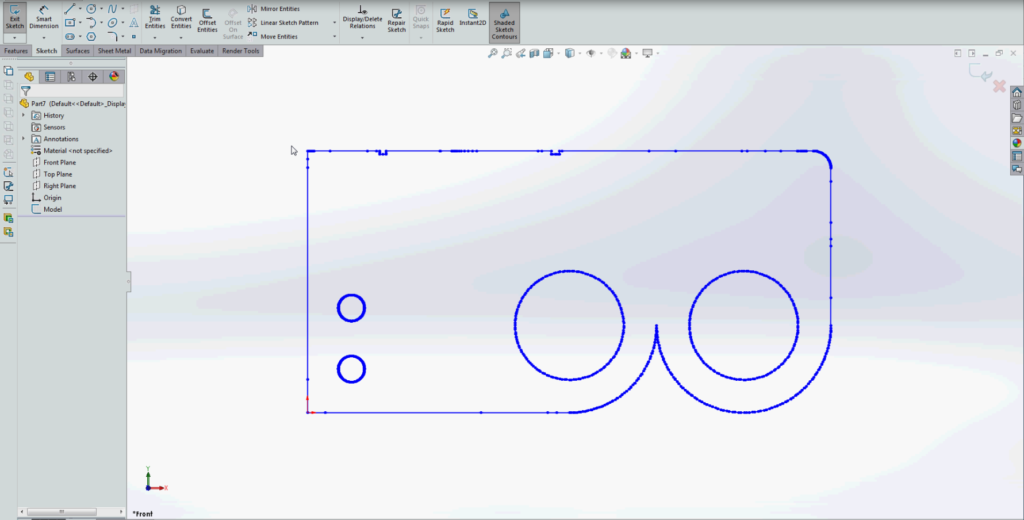
On this edition of 30 on 3D, our Senior R&D Engineer, Cameron Williams, explains how to export a DXF file from a sliced profile in Magics.
Step 1: Turn on section view in Magics
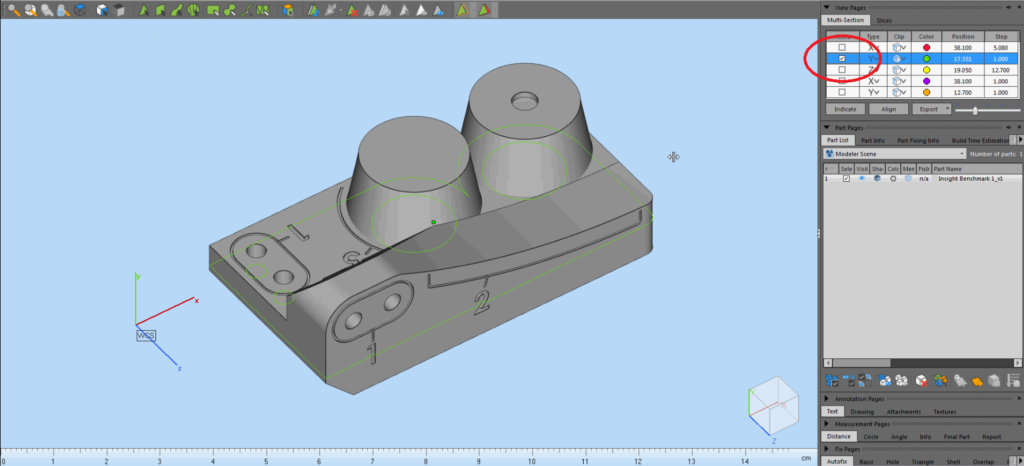
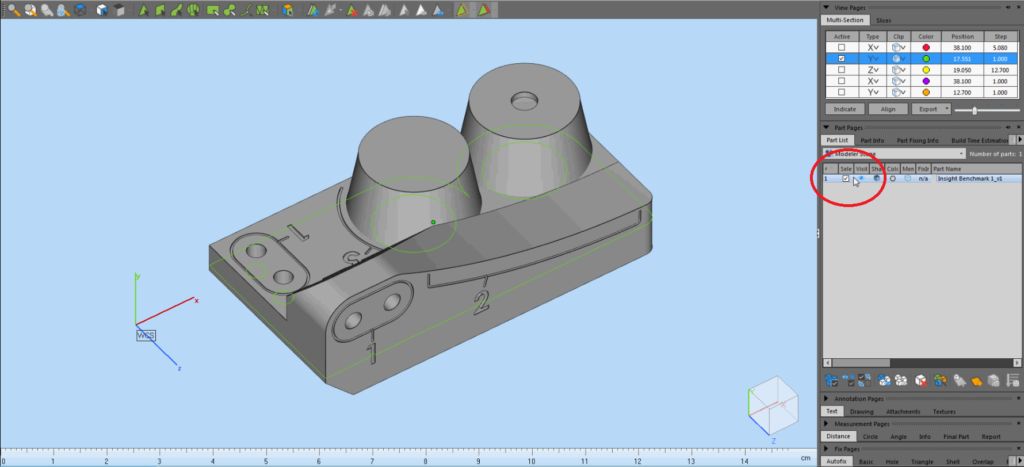
Step 2: Make sure part is selected
Step 3: Navigate to the “Export” button and select DXF
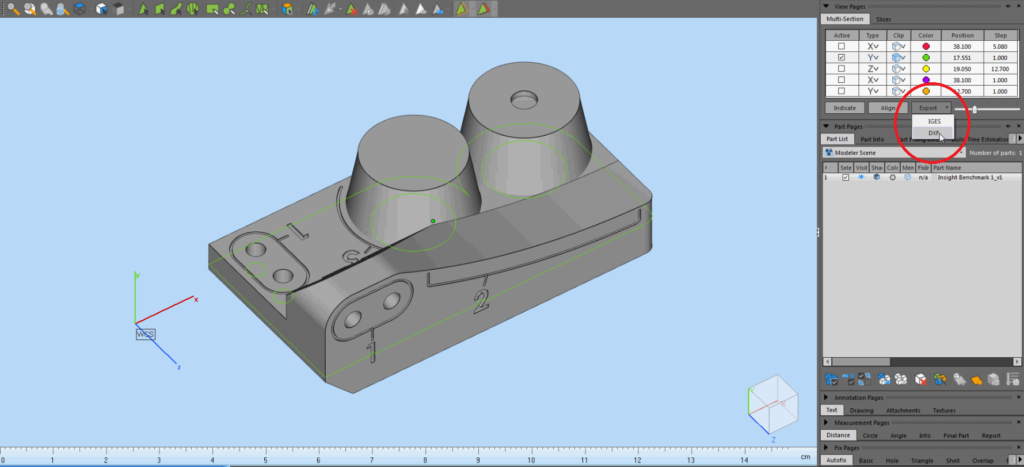
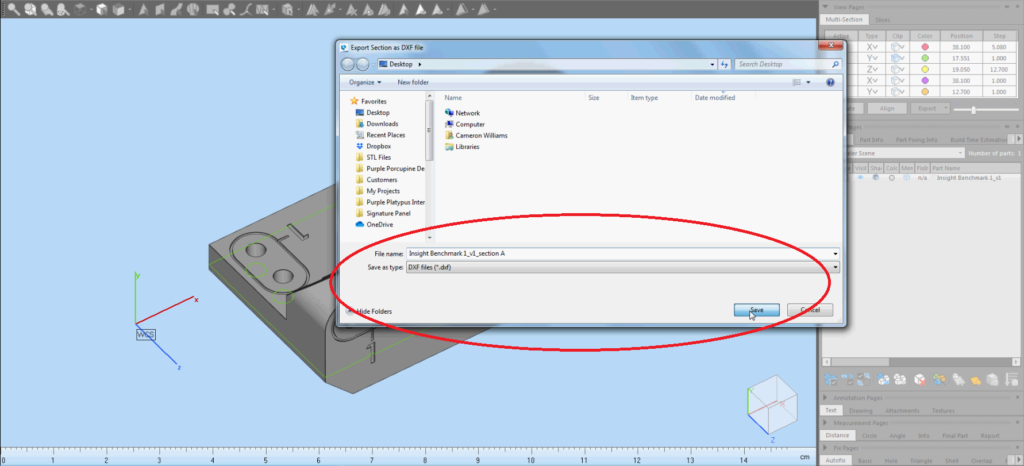
Step 4: Save the sliced profile as a DXF file
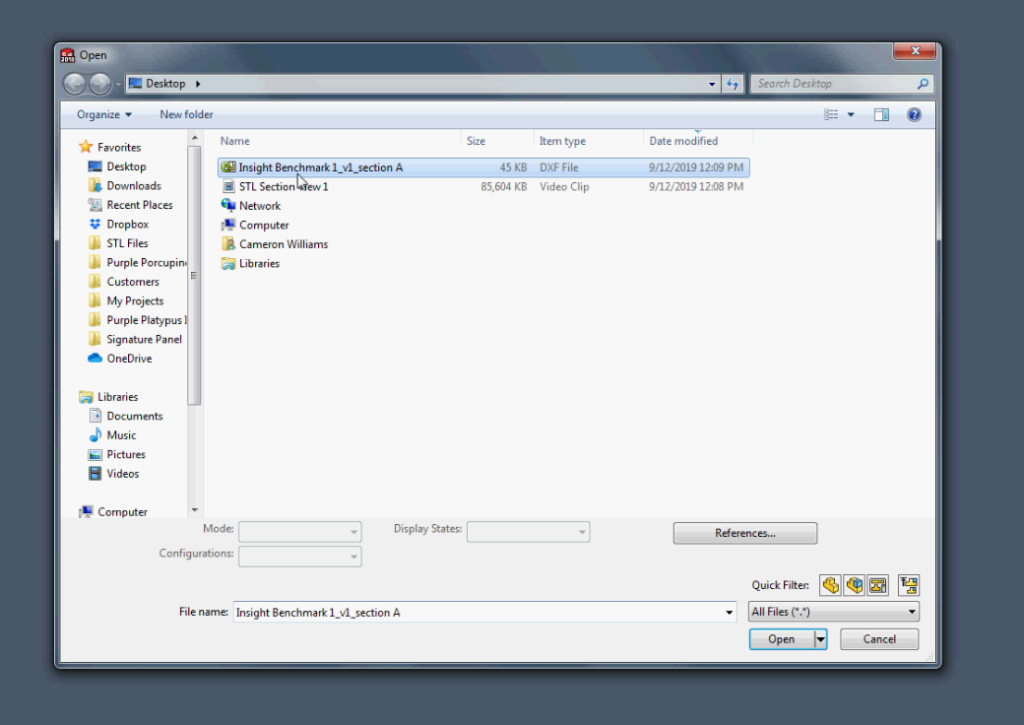
Step 5: Open up the file in Solidworks
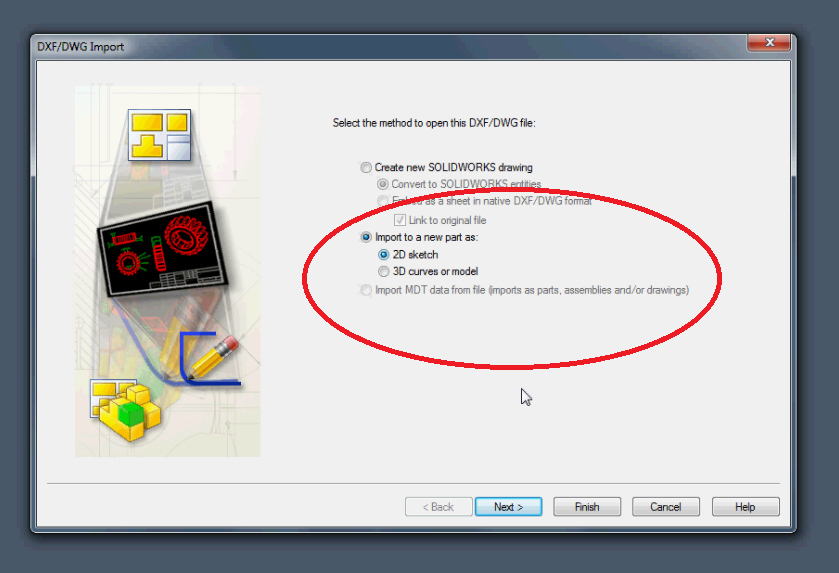
Step 6: Convert the file to a 2D sketch
Step 7: You can now edit the sketch entities in Solidworks for your CAD model